
The free whiteboard for making games.
Put your pictures, your to-do list and your whole team on one big board.
- Pin your pictures
- Plan your tasks
- Team up, live
- Every feature free
- No sign-up
- No credit card
- No ads

Three steps. That's it.
- 1
Drop in your pictures
Paste or drag in concept art, screenshots, GIFs and videos.
- 2
Add your tasks
Double-click to make a card. Press Tab and the next one joins up with an arrow.
- 3
Build it together
Invite your team. Comments, replies and changes show up the moment they happen.


Not a trial. No catch.
- Every feature, with nothing locked away
- The desktop app for Windows, macOS and Linux
- The web app, with nothing to install
- Teams of up to 50 people, editing together live
- No ads, no tracking and no credit card
- Open source under the MIT licence
Plan it, review it and hear from players, on one board.
The biggest update yet: new ways to see your work, art reviews right on your references, tidier wiring, and your players and your engine connected to the board. See every feature in the demo.
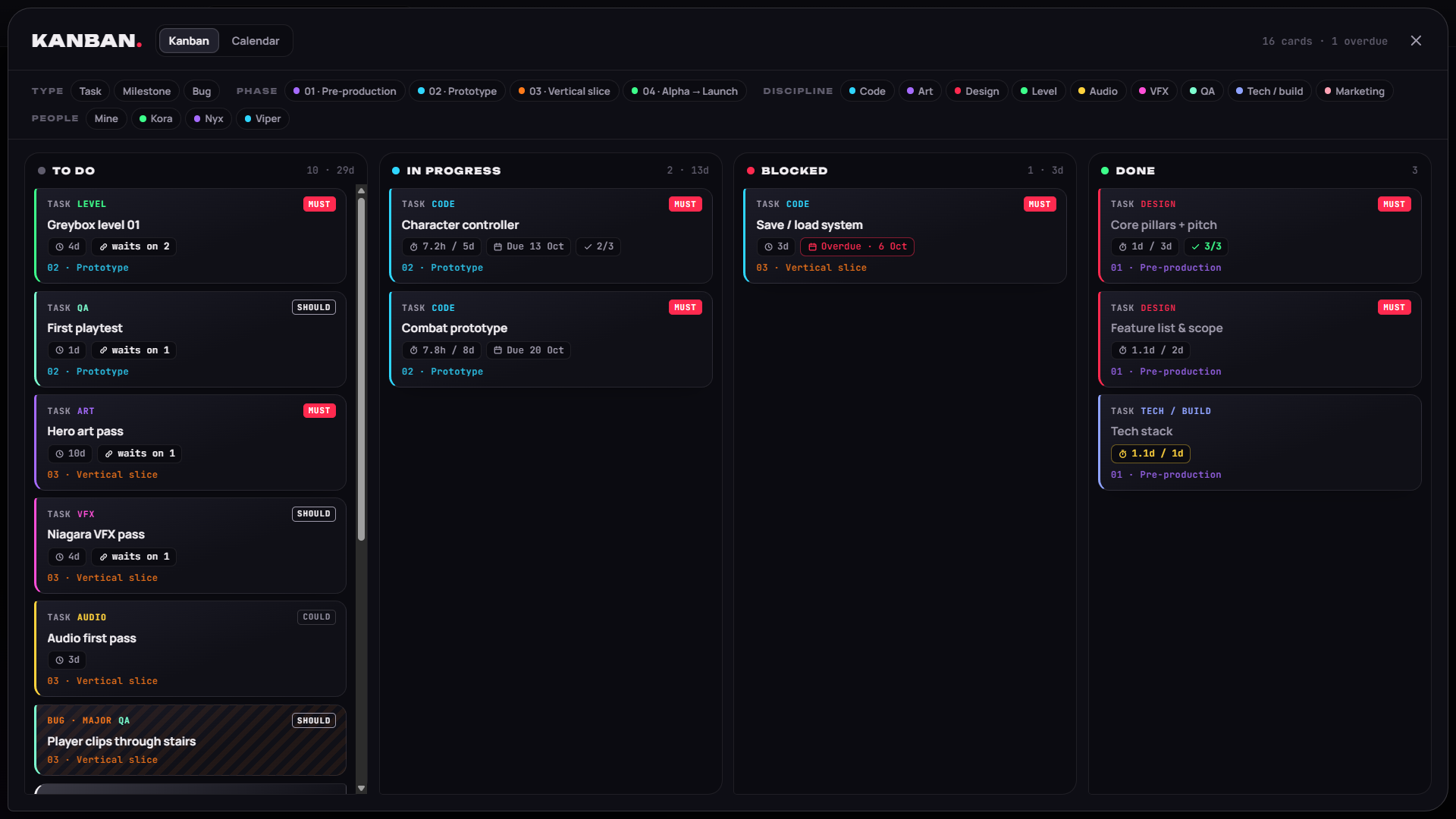
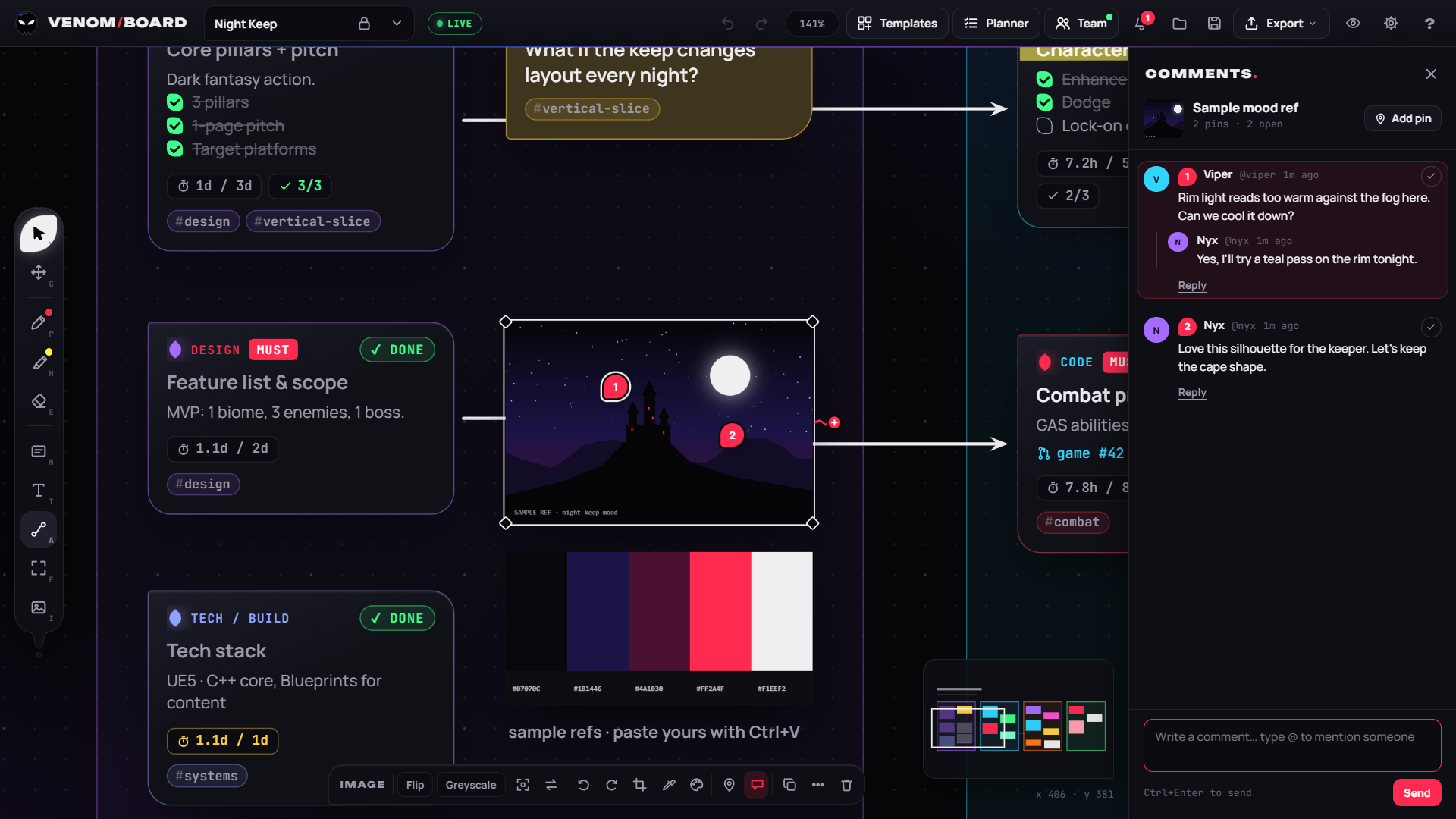
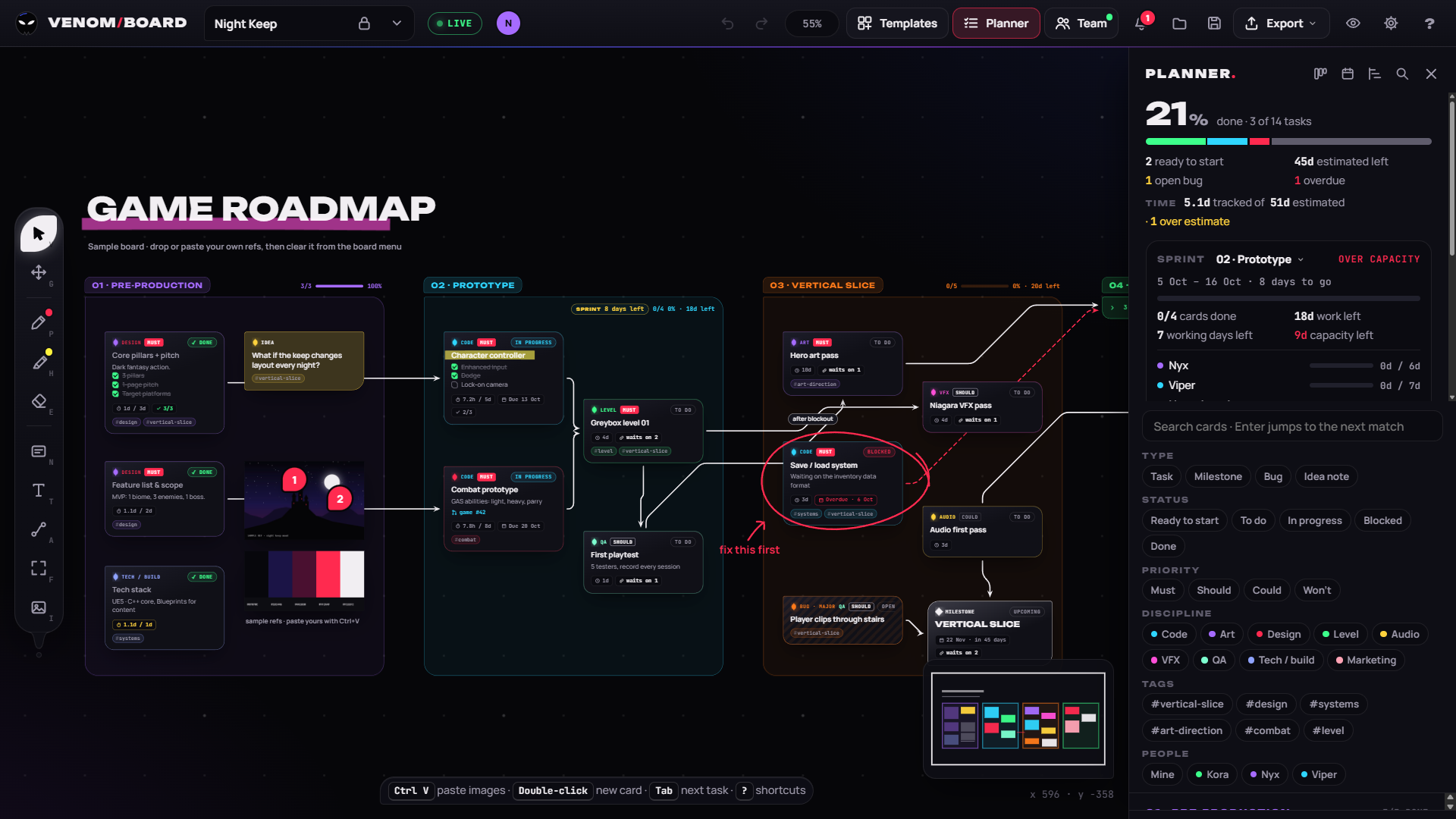
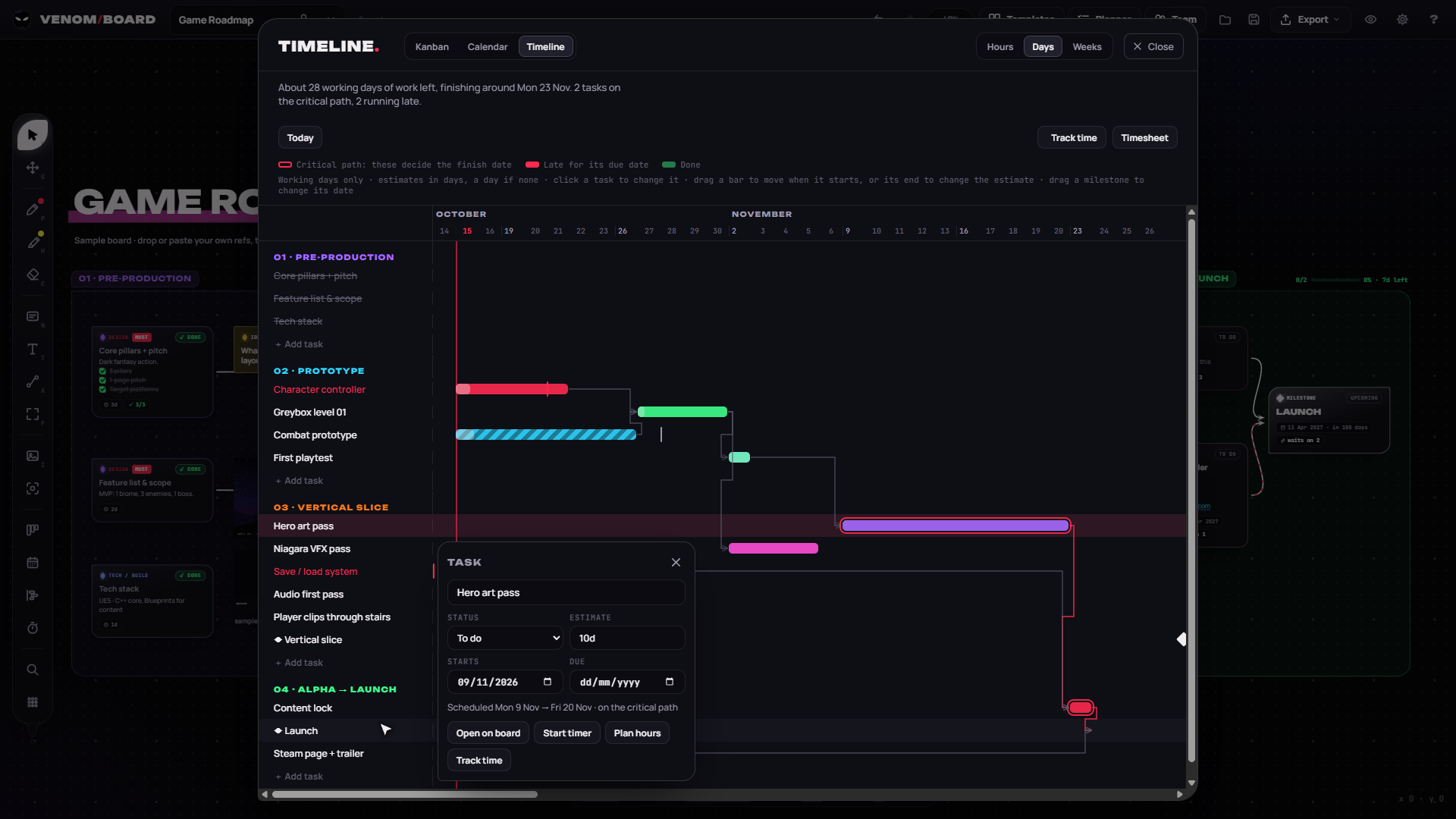
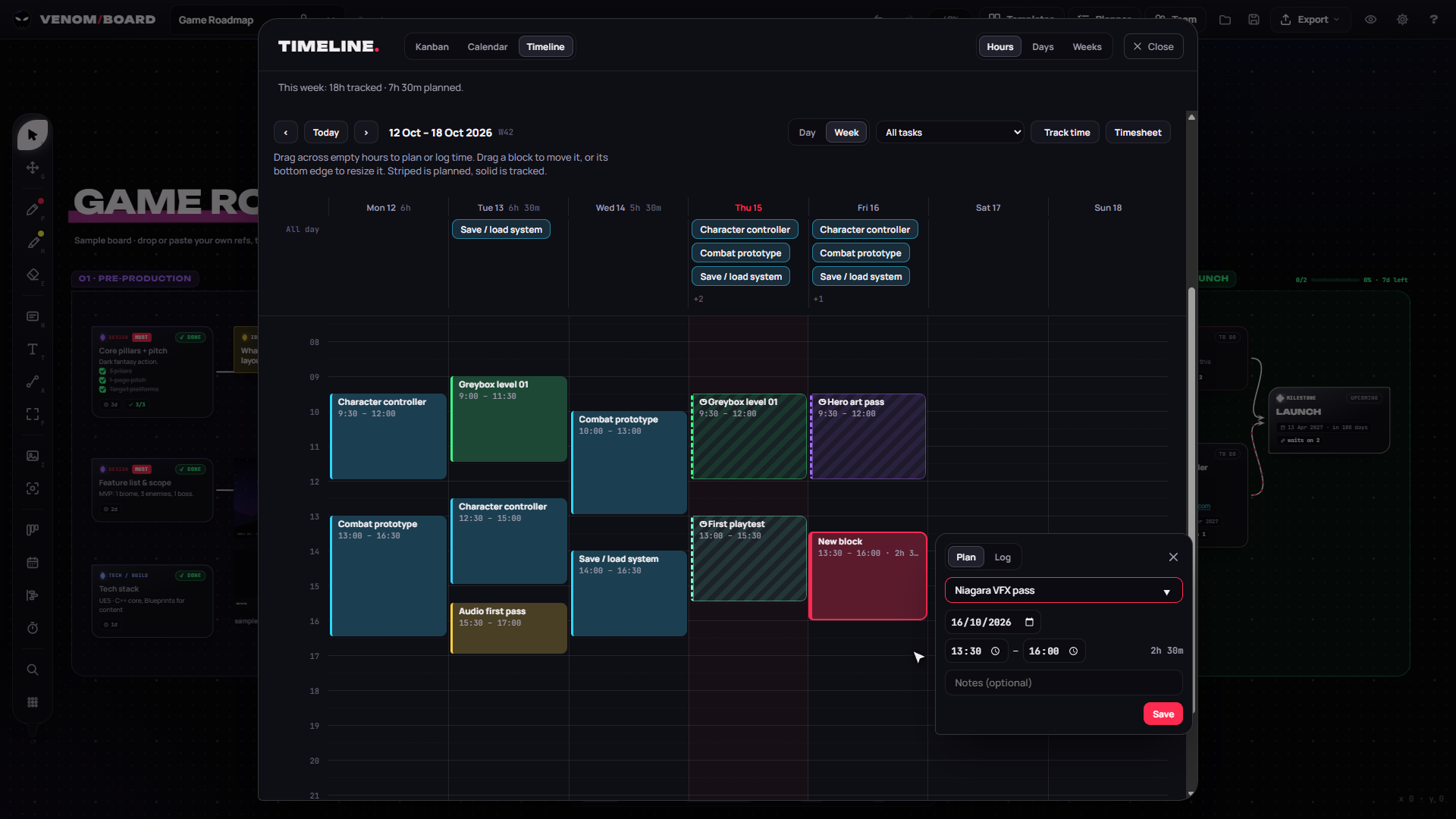
Kanban, Calendar, Timeline
Drag cards between statuses or days. On the Timeline, click a task to change it and drag bars to set start dates and estimates.
Sprints and time tracking
Capacity and velocity per sprint, a timer or logged time on any task, an hour-by-hour view to plan the week, and a weekly timesheet.
Tidy wiring
Circuit wires, reroute points, wires that spread apart, collapsible phases, card pins and one-click tidy layout.
Picture tools
Crop and rotate, a colour picker, palettes pulled from any picture, and PureRef in and out.
Reviews and threads
Feedback pins on pictures, replies, reactions and resolved threads on every card.
GitHub, GitLab and Slack
Mention a card in a commit and it comments on it; "fixes" finishes it. Updates in Slack or Discord.
Playtests and bug reports
A feedback form for playtesters and an in-game bug reporter that put bugs and ideas straight on the board.
In your engine
Your tasks in Unreal, Unity and Godot, a calendar feed, and tools that support MCP.
Build the plan together, live.
Every card, tendril, image and stroke your team adds appears on everyone's board the moment it happens. You see each other's cursors, selections and typing, like editing a place together in a game engine.
| Permission | Viewer | Editor | Admin | Leader |
|---|---|---|---|---|
| See shared projects live | ✓ | ✓ | ✓ | ✓ |
| Edit boards and add projects | – | ✓ | ✓ | ✓ |
| Invite editors and viewers | – | – | ✓ | ✓ |
| Make admins, hand over or delete the team | – | – | – | ✓ |
Admins can also give someone a different role in one project: view-only there, or an editor there.
Everything a game production board needs.
Reference board
- Infinite canvas with zoom at the cursor, panning and a minimap
- Paste screenshots with Ctrl+V or drag images in from anywhere
- Markers in 8 colours, highlighters and an eraser. Ink sticks to the card it's drawn on
- GIFs, videos and YouTube or Vimeo links as references, and replace any of them
- Crop and rotate pictures, a colour picker and palettes pulled from any picture
- Open PureRef boards and export back to PureRef
- Snap guides, align, distribute, pack into a grid, lock items
- Search every board and team project at once, and turn a board's history into a timelapse
Production planning
- Task, Milestone, Bug and Idea cards with status, discipline, priority, estimates and due dates
- Place next: drag a tendril into empty space and choose what comes next
- Waits on N, a ready-to-start filter and dependency tracing
- Phase frames with progress that collapse or become sprints with capacity and velocity, and a planner with a burndown chart
- A timeline with the critical path and start dates, where you change tasks in place, plus Kanban and Calendar views you can drag
- Circuit wires, reroute points and tidy layout; time tracking with an hour-by-hour calendar and a weekly timesheet; tags and saved filters
- A game jam clock, 12 templates, import from Trello, Jira or CSV, and Markdown and CSV export
Overlay and teams
- Pin on top, opacity slider and click-through with a global shortcut
- Lock the window, hide the top bar or the whole interface
- Live team projects with cursors, follow and present
- Assign cards, comment and @mention with replies, reactions and feedback pins on pictures
- Version history, view-only links, public roadmaps, an activity feed, Discord and Slack
- GitHub and GitLab links, a playtest feedback form and an in-game bug reporter
- Roles per team or per project, two-step sign-in, a calendar feed and engine panels
Start from a template.
Roadmaps, design docs, game jams, Steam launches and more, free. Open one in the web app in a click, or from Templates in the desktop app.
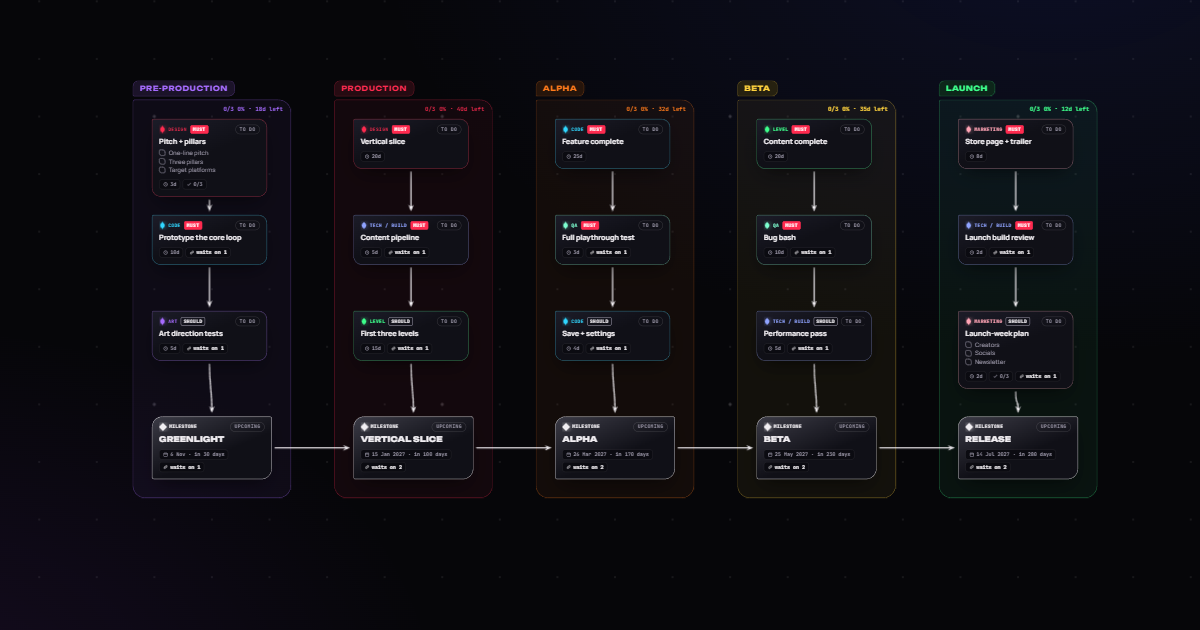 Production
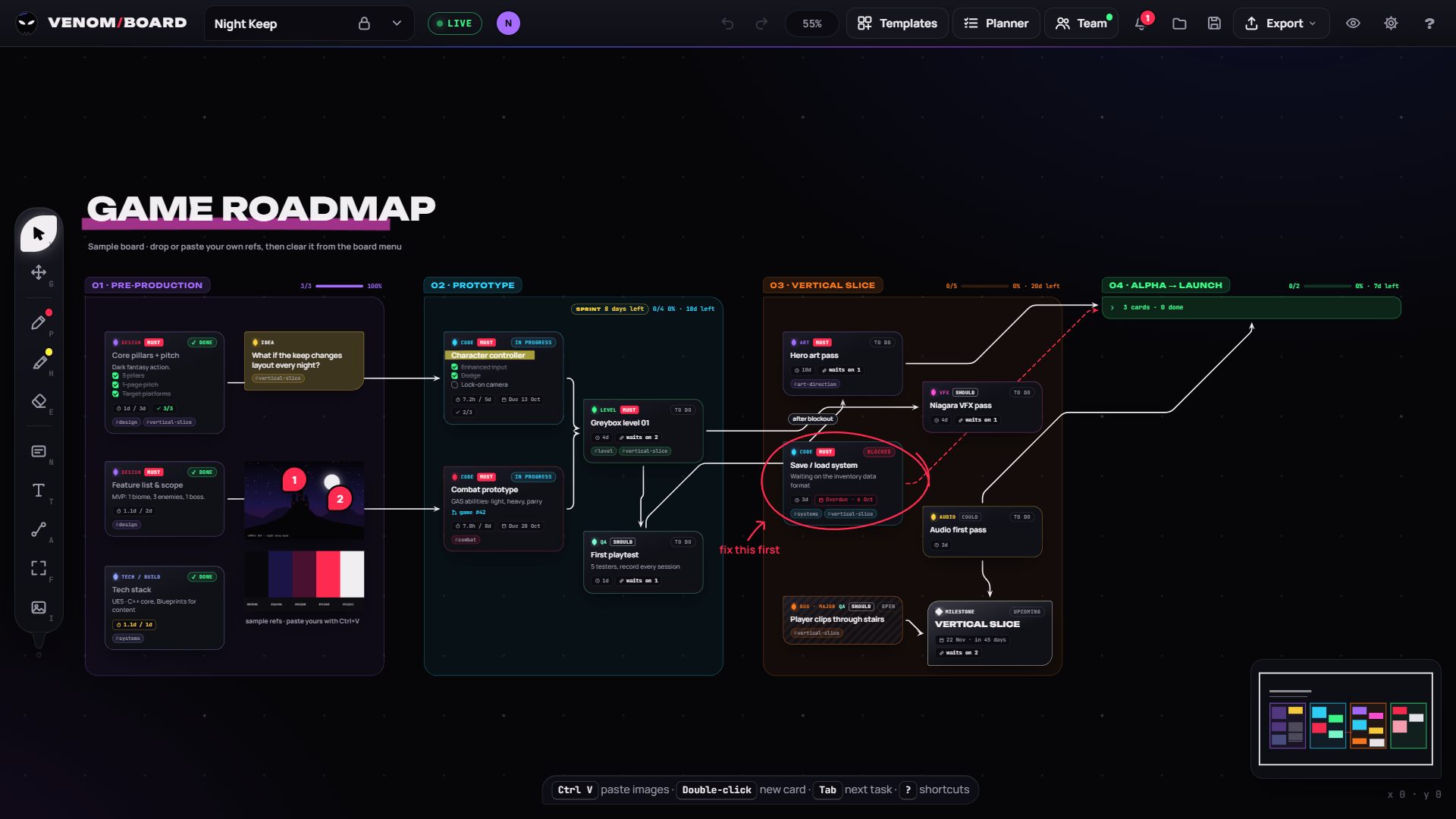
Game roadmap
Pre-production to launch, with dated milestones.
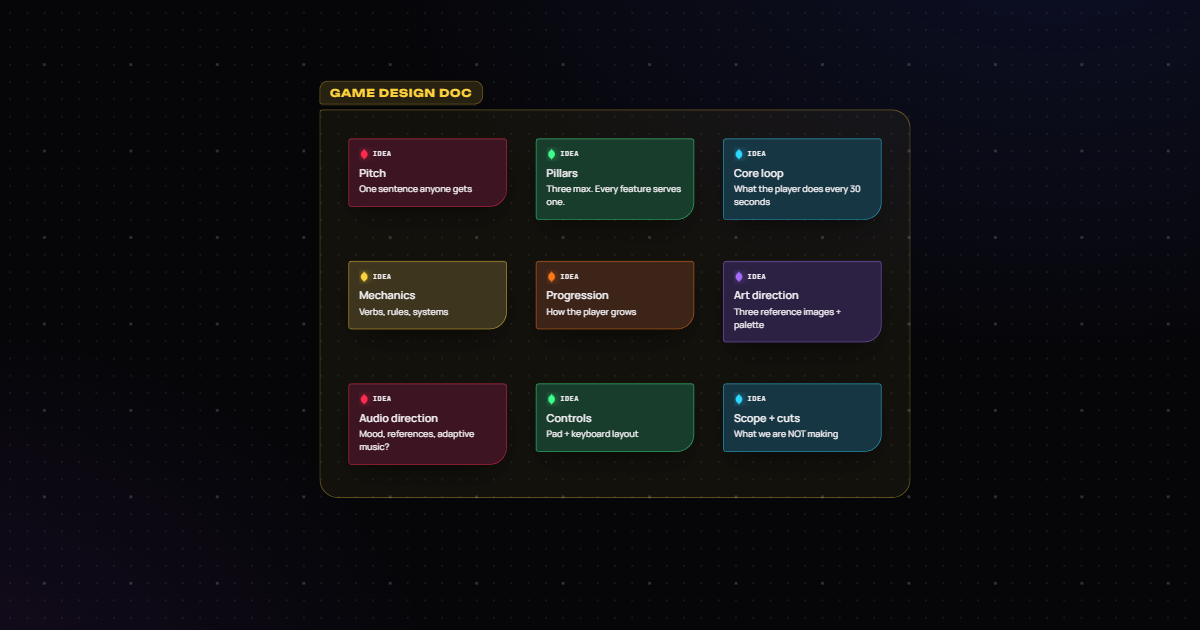 Design
 doc outline
Pitch, pillars, core loop, scope and cuts.
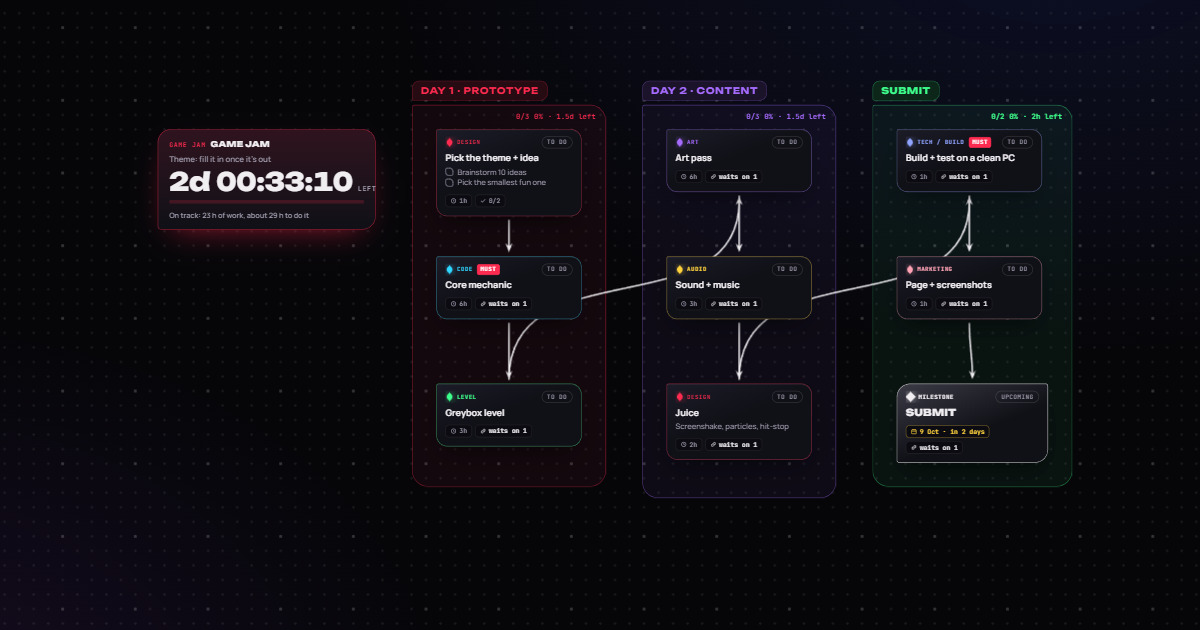 Game jams
Game jam · 48 h
Prototype, content, then submit on time.
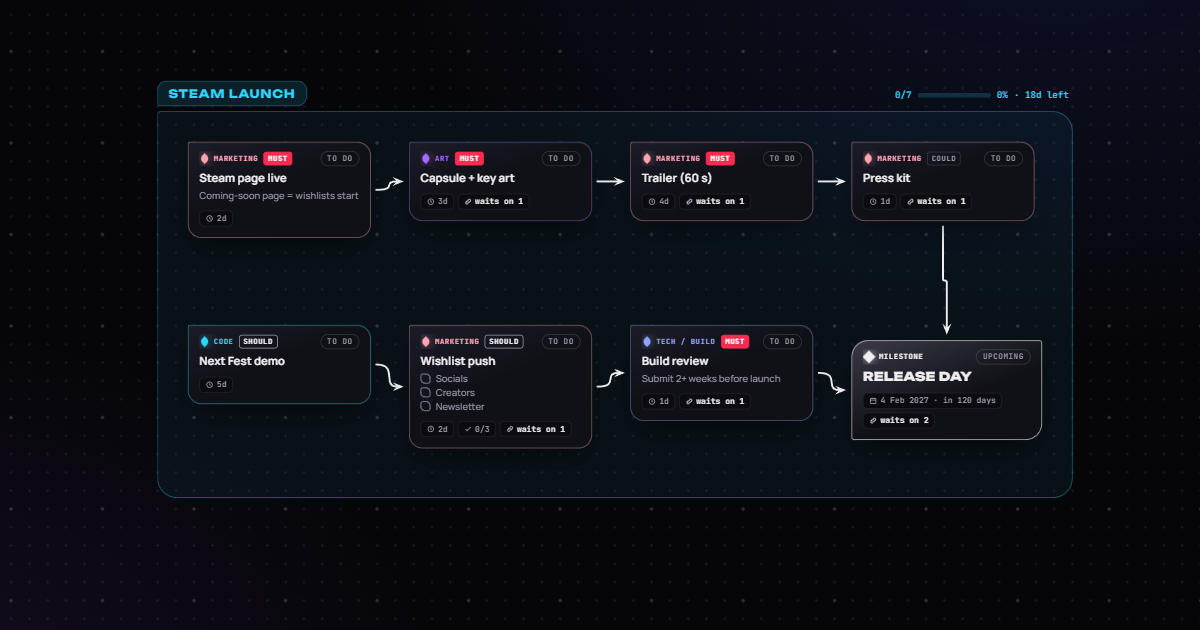 Launch
Steam launch
Store page, trailer, Next Fest, release day.
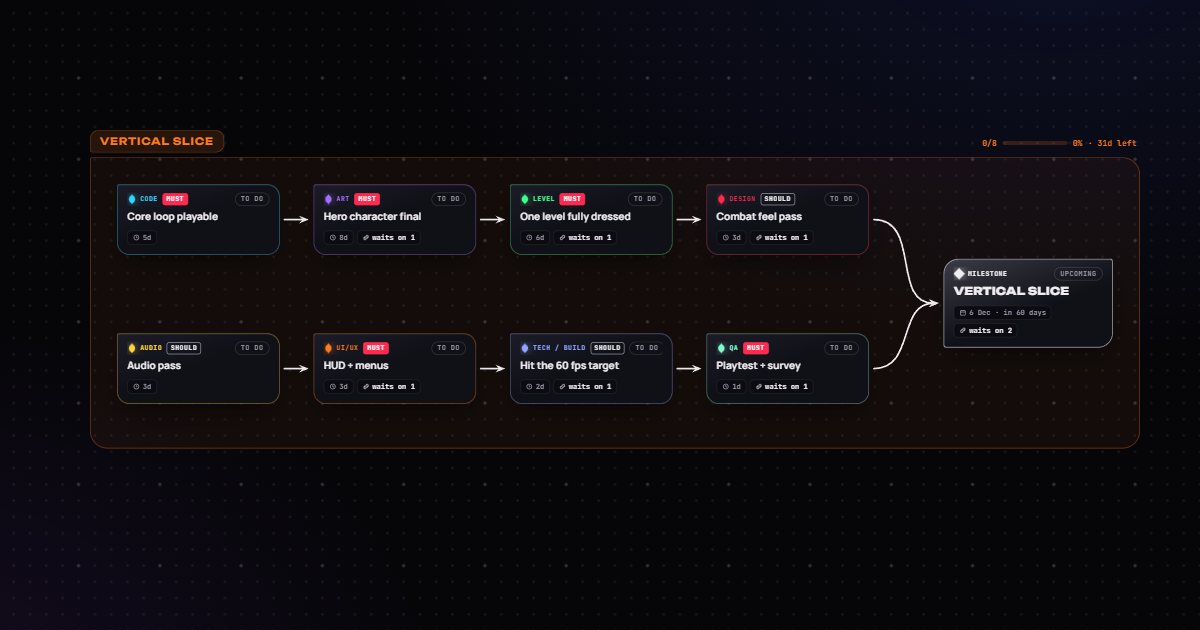 Milestones
Vertical slice
Eight must-haves converging on a date.
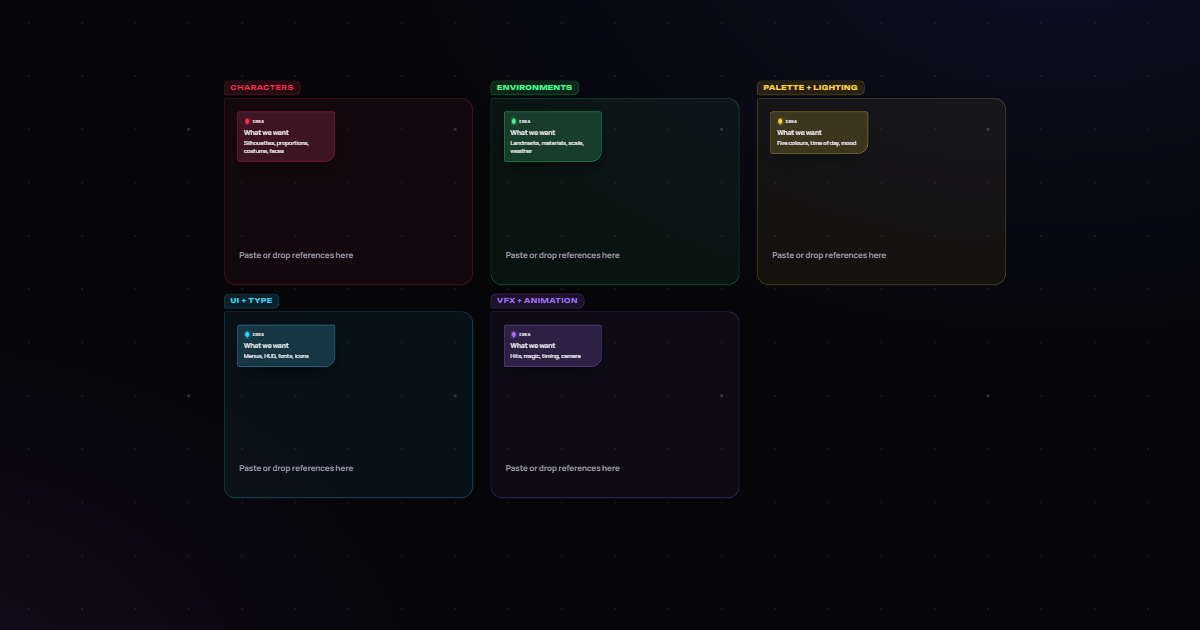 Art direction
Art moodboard
Characters, environments, palette, UI, VFX.
Free, on desktop and in the browser.
Desktop app
For Windows, macOS and Linux. Pin on top, opacity and click-through, and it keeps itself up to date with signed updates.
DownloadWeb app
The same board in Chrome, Edge or Firefox. Sign in to work on your team's projects from any computer.
Open the web appSource code
MIT licensed. Build it yourself, report bugs or suggest the next feature on GitHub.
View on GitHubKeep Venom Board free. Every feature is free, with no ads and no tracking. If it helps you make your game, a donation keeps it growing.
Donate with PayPalAlso on itch.io. Try Venom Board right on its itch.io page, follow it there for updates and leave a comment.
Join the community. Show what you're making, find a team and get help on the Venom Board Discord.
Windows SmartScreen: the installer isn't code-signed yet, so the first run may say "Windows protected your PC". Click More info, then Run anyway.
Good to know.
Is it really free?
Yes. Every feature, the desktop app and the web app cost nothing. There’s no trial, no ads and no credit card. The app is open source under the MIT licence.
Do I need an account?
No. Open the web app or the desktop app and start. A free account is only needed to share boards with a team.
What is it for?
Planning a game. Collect pictures for how your game should look, write down what needs doing, draw arrows for what comes first, and see when it’ll be finished.
Who is it for?
Solo developers, small studios, students and game jam teams. Up to 50 people can work on the same board at once.
Does it work on my computer?
The desktop app runs on Windows 10 and 11, macOS and Linux. The web app runs in Chrome, Edge or Firefox.
Ready to plan your game?
It’s free, and it opens right in your browser. Making games with others? Join the Venom Board Discord.