
Sprints
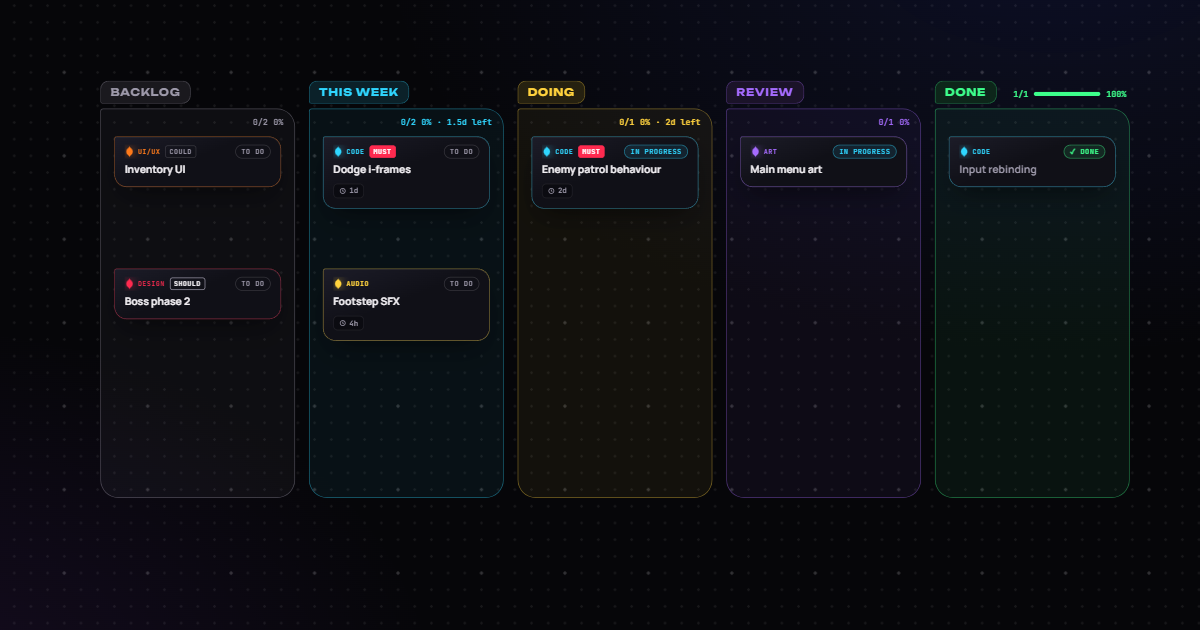
Free game dev sprint board (Kanban) template
A simple Kanban board for the week: move cards across as work progresses, and keep references and notes on the same canvas as the sprint.
Free · no account needed · works offline in the desktop app
What's inside
- Columns for backlog, this week, doing, review and done
- Example cards across code, design, audio, art and UI
- Statuses, priorities and estimates on every card
- The Planner shows what is ready to start and what is blocked
How to use it
- Open it. It lands on a new board of its own, in the web app or the desktop app (Templates, top right).
- Make it yours. Rename cards, set estimates and dates, and connect work that waits on other work.
- Plan it together. Share the board with your team to edit it live, or keep it on your computer.
More templates
 QA
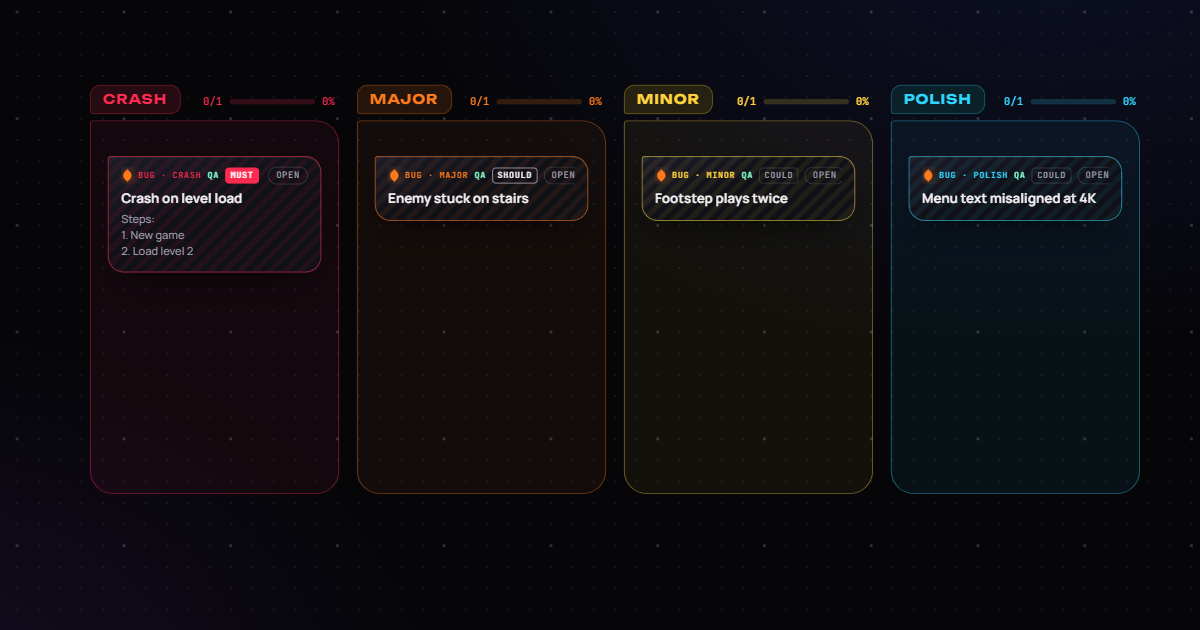
QABug triage
A bug triage board for game development: crash, major, minor and polish lanes, with example bugs and steps to reproduce.
 QA
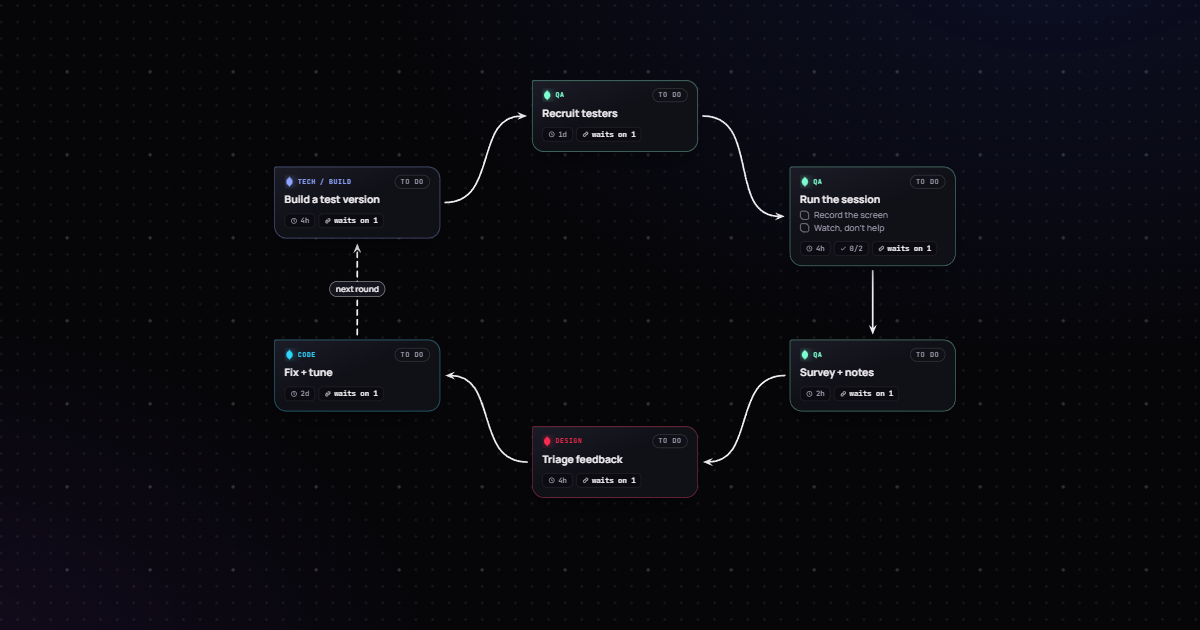
QAPlaytest loop
A playtest plan for games: build a test version, recruit testers, run the session, survey, triage feedback, fix and tune, then go again.
 Art direction
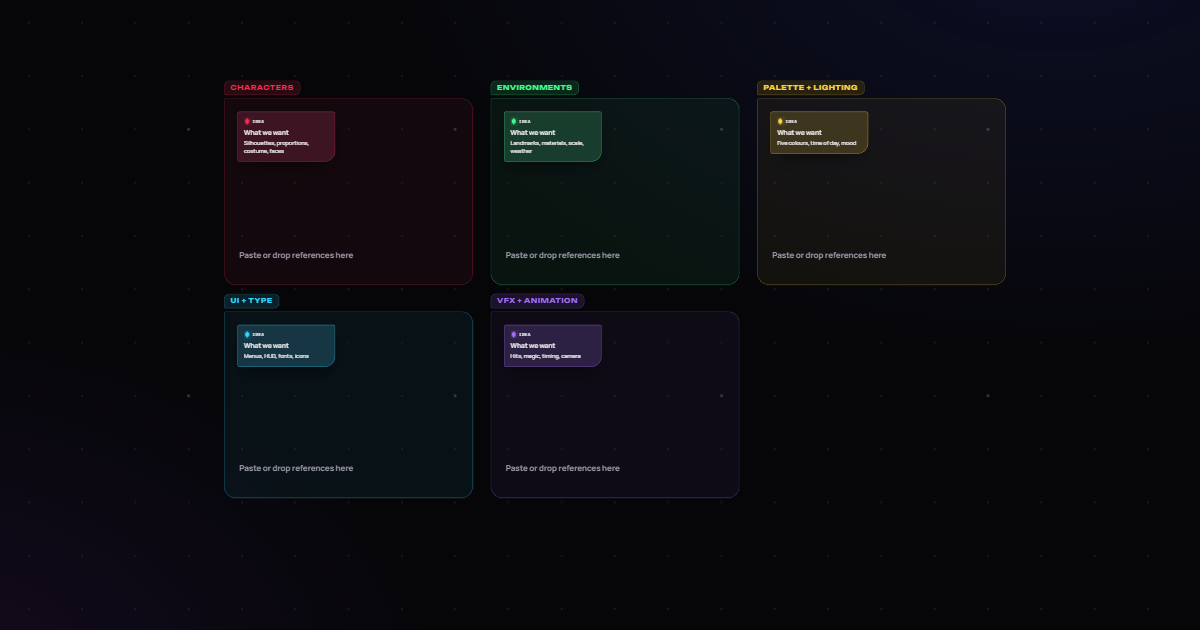
Art moodboard
A moodboard template for game art direction: frames for characters, environments, palette and lighting, UI and type, and VFX and animation references.